







Oncepik Review: The All-in-One Productivity Tool You Actually Need in 2026
Here’s something nobody talks about — the more productivity tools you add, the less productive you actually feel. I’ve lived that cycle. Notion for notes, Trello for tasks, Google Docs for writing, and still falling behind. That’s the exact problem Oncepik was built to solve.
In plain terms, Oncepik is a visual all-in-one workspace where you handle tasks, content, and team collaboration without switching platforms. No more tab hopping. No more “where did I save that?” It’s built for people who want an organized workflow — not an exhausting one.
If you’re also exploring other visual workspace tools, check out our guide on Best Productivity Tools for Freelancers in 2026.
Quick Takeaway If too many tools are slowing you down more than helping you, Oncepik brings your tasks, content, and collaboration under one roof. It works best for creators, freelancers, and teams who want real control without the complexity.
What is Oncepik? (Simple Explanation for Beginners)
Oncepik is a digital workspace where you plan, build, and manage work visually — all inside one platform.Features and BenefitsFeatures and Benefits
Think of it as the practical middle ground between Notion and Trello, but with a cleaner experience that doesn’t need a tutorial to get started. You build boards, organize tasks, draft content, and bring your team in — everything in one place. Simple idea, and genuinely refreshing in practice.
How Oncepik Actually Works (Step-by-Step Breakdown)
When I first signed up, I expected a long onboarding process. There wasn’t one.
Here’s how it actually unfolds:
- Set up a workspace or start a new project
- Build boards that work like open visual canvases
- Add tasks, ideas, or content as moveable blocks
- Rearrange everything however makes sense to you
- Bring teammates in and collaborate without leaving the page
Best way to picture it — imagine sticking everything important on a physical wall, but smarter, searchable, and shareable in real time.
Core Features of Oncepik That Make It Stand Out
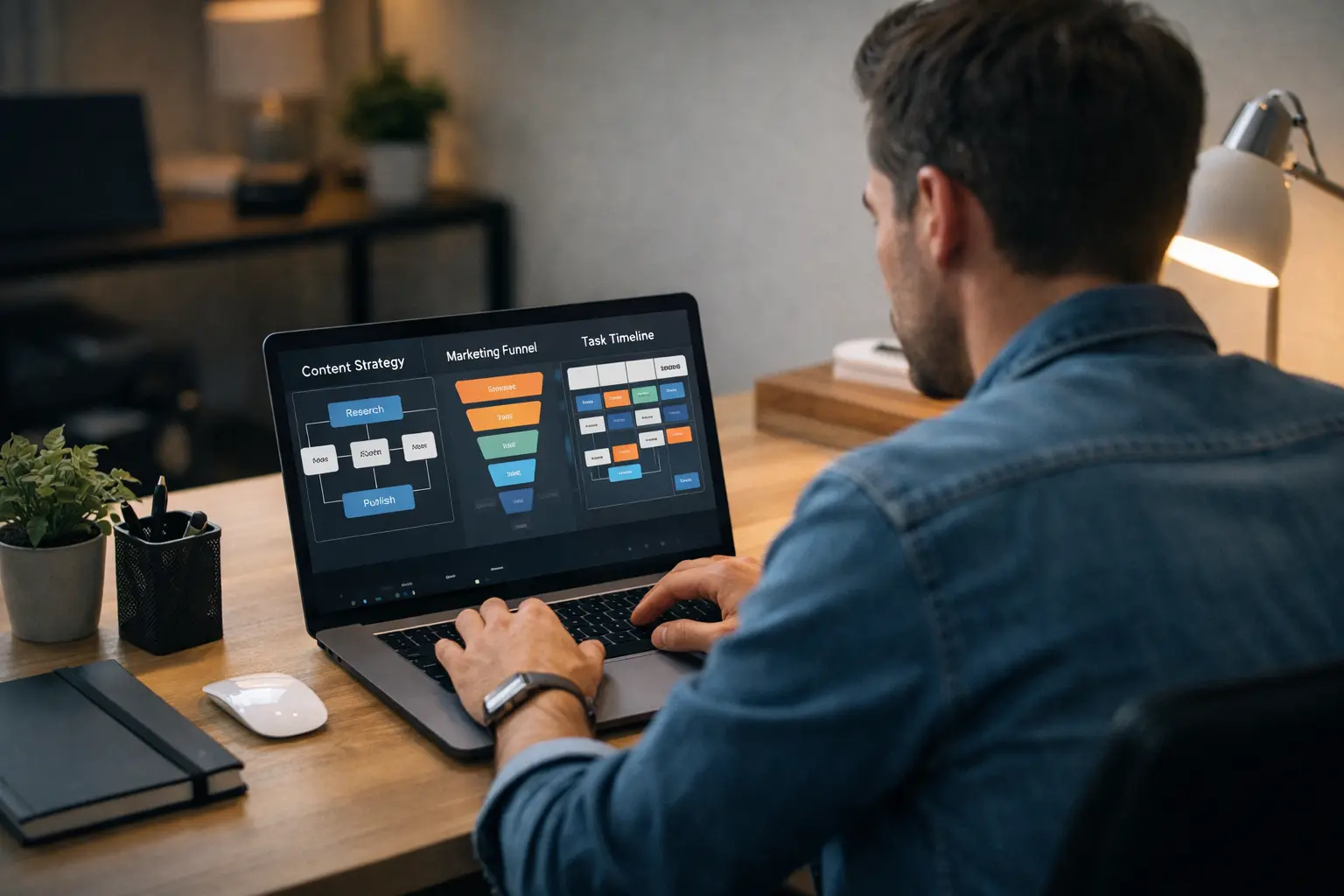
Visual Workspace & Idea Mapping Most tools force you into lists. Oncepik lets you think in open space. You see your ideas laid out in front of you, spot connections between them, and get a real picture of your project without digging through folders.
Task and Project Management Creating tasks, setting deadlines, tracking progress — it’s all there. But it never feels like filling out a spreadsheet. The experience stays flexible even when projects get complex.
Real-Time Collaboration Your team can work alongside you without the usual confusion. No missed messages, no version conflicts — just live collaboration that actually works.
AI-Powered Content & Automation Oncepik has AI built into its core workflows for writing, planning, and organizing. You don’t need to be technical to use it — it runs quietly in the background instead of interrupting your process.
All-in-One Dashboard One dashboard showing tasks, content, and team activity together. You don’t realize how much you need this until you have it — and then you can’t go back.
Why People Are Switching to Oncepik (Real Benefits)
The real problem with modern work isn’t a shortage of tools. It’s far too many of them.
I’ve watched freelancers spend more time managing apps than finishing actual work. That kind of tool fatigue drains productivity in ways that are hard to notice until you step back and look.
In my experience, cutting down tool sprawl alone can reclaim 30 to 45 minutes of focused work every single day — and that adds up fast across a full week.
Key benefits:
- Less time lost jumping between platforms
- No more hunting for saved files or lost ideas
- A cleaner mental state that supports real focus
- Everything your team needs lives in one shared space
Once you settle into it, going back to the old scattered setup feels like a genuine step backward.
Oncepik vs Traditional Tools (Real Comparison)
Oncepik vs Trello Trello handles tasks well — and mostly stops there. Oncepik lets you manage tasks and create content inside the same space, which removes the need for extra tools entirely.
Oncepik vs Notion Notion is powerful, but that power carries a steep learning curve. Oncepik is built to be picked up quickly, especially for anyone new to visual workspaces.
Oncepik vs Canva or Content Tools Specialized tools are great at one thing. Oncepik connects your planning and your creating so neither one gets buried under the other.
The real difference? Most tools hand you features. Oncepik hands you a complete workflow.
If you’re exploring similar tools, our detailed guide on Runlia Features and Benefits is worth a read
Who Should Use Oncepik?
Not every tool fits every person. But if any of these sound familiar, Oncepik deserves a serious look:
- Bloggers managing ideas, drafts, and publishing schedules
- Freelancers handling multiple clients at once
- Students tracking coursework and deadlines
- Agencies that need team visibility without complex setup
- Remote teams that want real collaboration without endless messages
If your work currently lives scattered across five different apps, Oncepik was built with that exact frustration in mind.
Getting Started with Oncepik: Your First-Day Setup
The biggest mistake new users make is trying to set everything up perfectly before starting. Don’t.
On day one, keep it simple:
- Create one workspace — not one for every project you’ve ever touched
- Add your three most active projects as boards
- Use color labels to mark priority at a glance
- Invite one team member and test live collaboration together
The layout becomes intuitive within 20 to 30 minutes of actual use. You don’t need a guide — you just need to start.
In my experience, users who begin with one focused board stick with the tool. Those who try to migrate everything on day one almost always burn out and abandon it within the week.
From My Experience: Where Oncepik Actually Saves Time
After a few weeks working inside Oncepik, the biggest win had nothing to do with features. It was quieter than that.
Decision fatigue dropped noticeably. When your work lives in one place, you stop burning mental energy on logistics — which app to open, where a file is saved, who has the latest version. That overhead disappears, and what remains is actual focus.
Small shift. Real difference.
Pro-Tip: From My Experience
Most people who struggle with Oncepik make the same mistake — they open it, build a checklist, and wonder why it doesn’t feel any different from before.
That’s because they’re using it like a basic task manager. That’s not what it is.
Oncepik works best when you treat it as a visual thinking space. Lay ideas out spatially, group them, connect them, move things around — that’s when the tool starts making real sense. I’ve seen people completely change how they plan their work once that clicks. Start with one clean board, skip the urge to build a complex system immediately, and let it grow naturally.
How to Use Oncepik for Content Creation (Step-by-Step Strategy)
This is where Oncepik genuinely earns its place for writers and creators.
A workflow I tested personally and still use:
- Open a blank idea board
- Drop in content ideas as blocks — no filtering yet
- Move the strongest ideas into a rough outline
- Write the first draft directly inside the board
- Tag each piece — Draft, In Review, or Published
No tab switching. No lost drafts. No ideas disappearing into folders.
For anyone producing content regularly, this workflow alone justifies making the switch.
For more workflow planning options, check out our Schedow Complete Guide as well.
Oncepik in 2026: Trends, New Capabilities, and Where It’s Headed
Tools like Oncepik are moving fast. Right now we’re seeing:
- Deeper AI built into everyday workflows
- Automation handling repetitive tasks
- Better collaboration tools for distributed teams
- Visual-first interfaces becoming the standard, not the exception
But here’s the more meaningful shift. Just having AI in your tool isn’t enough anymore. Teams are asking a sharper question: does it actually reduce my workload, or just give me one more thing to manage?
Oncepik appears to be moving toward embedded, context-aware AI — the kind that works inside your workflow rather than sitting on top of it. That approach is what will separate useful tools from forgotten ones through 2026 and beyond.
Common Mistakes Beginners Make While Using Oncepik
The same patterns come up repeatedly with new users:
- Building too many boards before understanding how one works
- Over-designing a system before doing any real work inside it
- Treating it like a simple checklist app
- Never touching the collaboration features at all
The fix is always the same — simplify. One board, one real project, actual work first.
Limitations of Oncepik (Honest Review)
Let’s be real. No tool deserves a fully glowing review.
Some honest drawbacks:
- There’s a real learning curve if visual workspaces are new to you
- It can feel like too much if you just want a basic task list
- It’s not a replacement for highly specialized tools
That said, for most users these are speed bumps, not dealbreakers.
| Pros | Cons |
|---|---|
| All-in-one workspace | Learning curve for new users |
| Visual, flexible workflow | Can feel overwhelming early on |
| Strong for content creators | Not built for highly specialized tasks |
| Genuine time saver | Needs proper setup upfront |
Oncepik Privacy & Data Security: What You Should Know
If you’re storing client work or business data on any third-party platform, this deserves your attention.
A few habits worth building early:
- Use a strong password and enable two-factor authentication
- Be careful what you share inside boards with external collaborators
- Review workspace permissions as your team changes
- For anything sensitive, check the platform’s data policy first
Most people skip this until something goes wrong. Ten minutes spent on access settings before onboarding your team is always worth it.
Is Oncepik Worth It?
Short answer — yes, for most people.
Strong fit if you:
- Feel scattered across too many tools right now
- Work regularly on content or collaborative projects
- Want a straightforward way to keep a team aligned
Might not suit you if:
- You only need a basic checklist app
- You’re not ready to invest time in initial setup
The free tier gives you enough room to make that call for yourself.
FAQs About Oncepik
What exactly does Oncepik do? It’s a visual workspace for managing tasks, planning content, and collaborating with your team — in one place.
Is Oncepik free or paid? Most plans include a free tier with core features. Paid plans open up the full workspace experience.
Can beginners use Oncepik easily? Yes — though if visual workspaces are new to you, expect a short adjustment period. It gets intuitive faster than most people expect.
Is Oncepik better than Notion or Trello? Depends on your needs. More approachable than Notion, more capable than Trello.
Can Oncepik help with content creation? Absolutely — it’s one of its strongest use cases.
Conclusion: Should You Start Using Oncepik Today?
Most productivity problems don’t come from a lack of tools. They come from having too many — and spending more energy managing them than actually working.
Oncepik takes a different approach. It pulls everything into one place, removes unnecessary complexity, and gives you the mental space to actually think and produce.
From my experience, the biggest thing you gain isn’t speed. It’s clarity — and clarity is what makes consistent, quality work possible over time.
Start with one board. Skip the perfect setup on day one. Let it grow naturally with your work.
Once it clicks, you’ll wonder what took you so long.